> For the complete documentation index, see [llms.txt](https://cytrence.gitbook.io/cytrence-kiwi-document/llms.txt). Markdown versions of documentation pages are available by appending `.md` to page URLs; this page is available as [Markdown](https://cytrence.gitbook.io/cytrence-kiwi-document/kiwi-pro-plus-features/host-target-serial-connection.md).
# Host/Target Serial Connection
Establish a direct serial connection between the host and target computers, enabling low-level communication and data transfer.
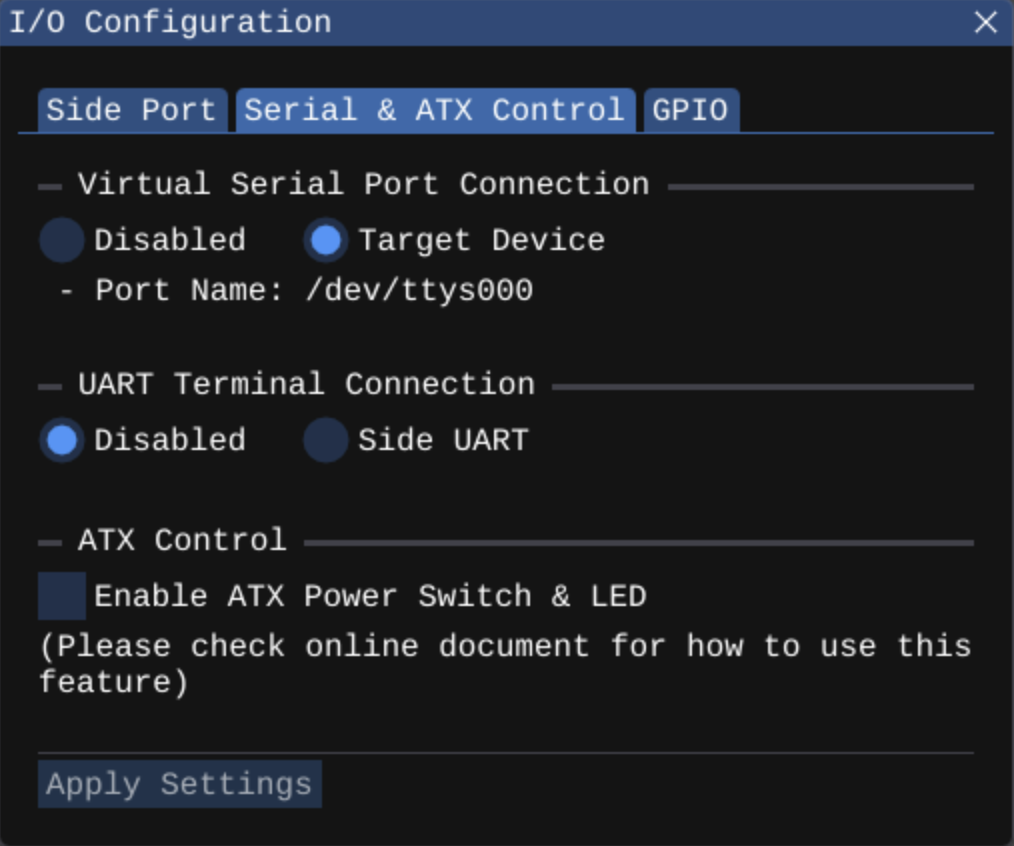
You can create a virtual serial port to connect to the target device.
{% hint style="warning" %}
The connection configuration will not be activated and persisted until you click the "Apply" button.
{% endhint %}
Once the virtual serial port is successfully connected, the actual path name of the serial device will appear next to "Port Name." The virtual serial port's name varies depending on the platform.
{% hint style="warning" %}
For Windows users, a device driver from Cytrence is required to use the virtual serial port. Please reach out to Cytrence at to request the device driver.
{% endhint %}
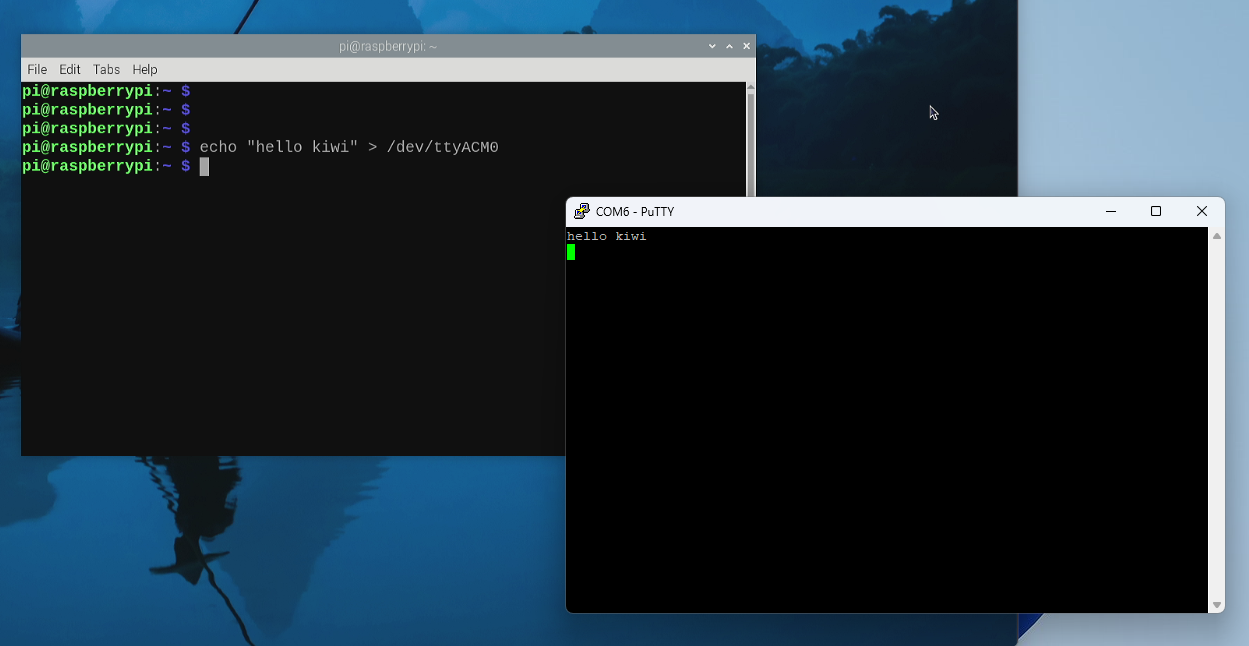
Once the virtual serial port is connected on the host computer, you can use any serial terminal emulator software to interact with the target device or any device connected to the UART.