> For the complete documentation index, see [llms.txt](https://cytrence.gitbook.io/cytrence-kiwi-document/llms.txt). Markdown versions of documentation pages are available by appending `.md` to page URLs; this page is available as [Markdown](https://cytrence.gitbook.io/cytrence-kiwi-document/kiwi+/kiwi+-i-o-configuration.md).
# Kiwi+ I/O Configuration
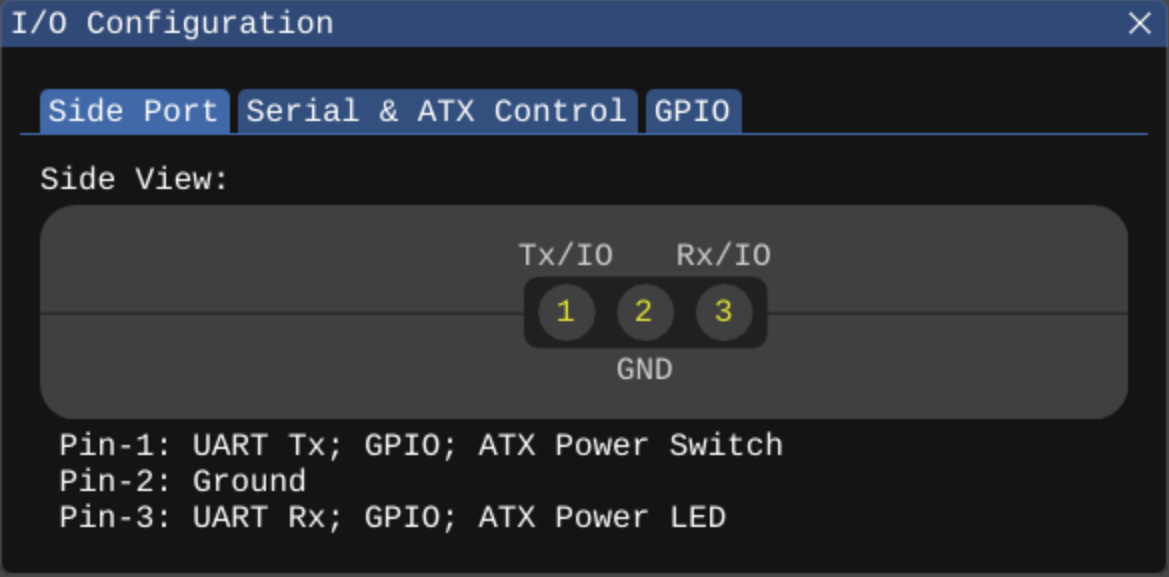
Kiwi+ features a 3 pins GPIO port, instead of a 6 pins GPIO like the Kiwi Pro. Pin 2 is specifically designated as GND. Pin 1 is configurable as either UART Tx, GPIO or ATX Power Switch. Pin 3 is configurable as either UART Rx, GPIO or ATX Power LED.
When the Kiwi Pro is connected, click the "I/O Configuration" button on the toolbar or go to Advanced -> I/O Configuration menu to configure port connections.
The Kiwi+ Serial & ATX Control tab does not include an "Enable Reset Switch" option, as the Kiwi+ only features a 3-pin GPIO port, unlike the Kiwi Pro.